コイカツ! / Koikatsu Party Screenshots

コイカツ! / Koikatsu Party review
Master character creation, dating mechanics, and customization in this anime simulation experience
Koikatsu Party is a 3D customizable simulation dating experience developed by the Japanese studio Illusion. Released in 2018, this third-person RPG combines character creation, relationship building, and interactive gameplay in a school setting. Whether you’re interested in the extensive character customization options, the dating mechanics, or the various gameplay modes available, this guide covers everything you need to know about Koikatsu Party. From creating your ideal characters to understanding the progression system and unlocking new content, we’ll walk you through all the essential features that make this simulation game unique.
Getting Started: Character Creation & Customization
Welcome to the heart and soul of the experience! 😊 If you’re anything like me, the moment you boot up コイカツ! / Koikatsu Party, you’ll be drawn like a magnet to its legendary character creator. This isn’t just a side feature—for many players, it’s the main event, a dazzling sandbox for custom character design anime simulation dreams. The promise is incredible: you can design absolutely anyone, from the girl-next-door to fantastical beings, with zero 3D modeling knowledge required. It’s this powerful, intuitive, and endlessly deep system that transforms a game into a creative platform. Let’s dive in and unlock its full potential.
How to Create Custom Characters in Koikatsu Party
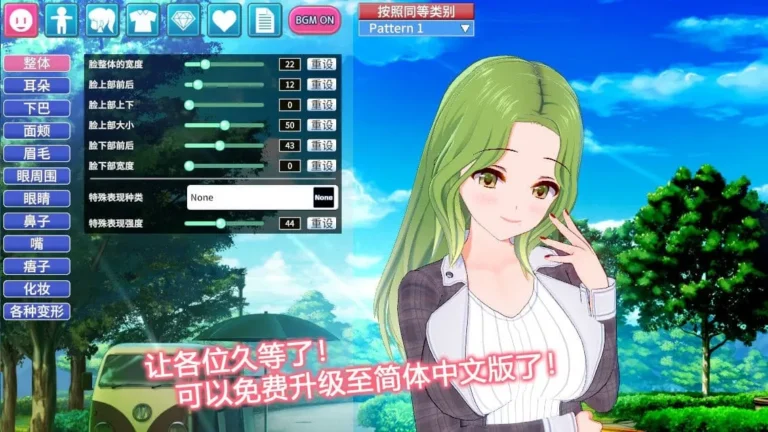
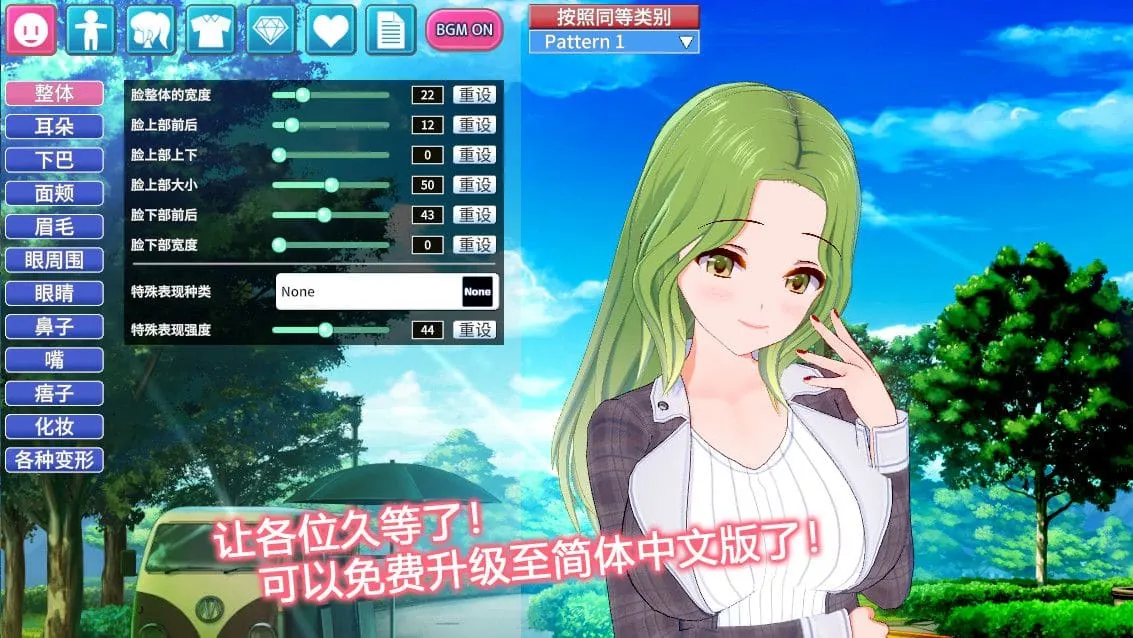
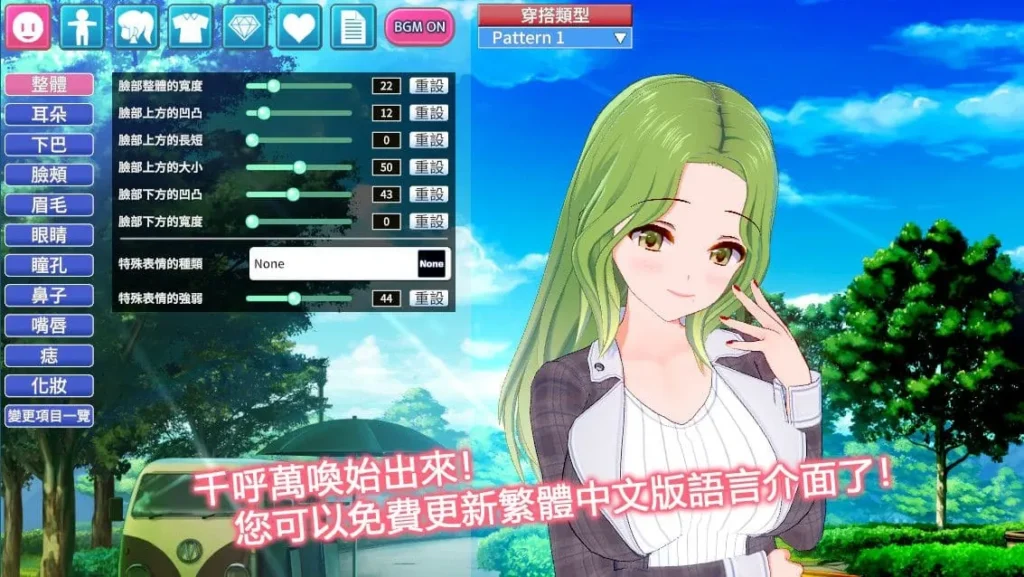
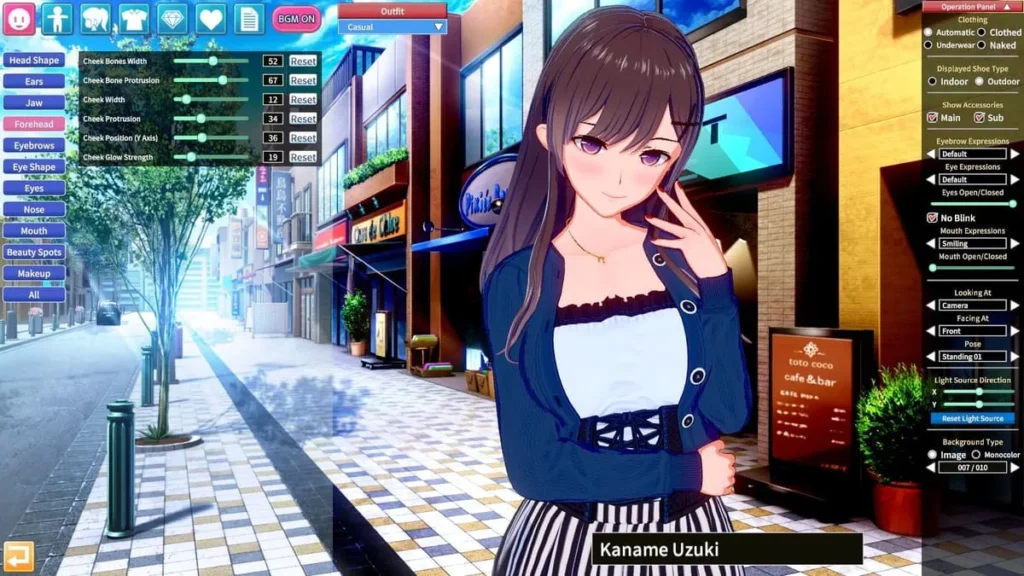
So, you’re staring at the main menu, excitement buzzing. Where do you even start? 🎮 The path to your first original character is simple. Navigate to the “Character Maker” from the main menu. You’ll be greeted by a default character and a sidebar brimming with icons—this is your cockpit. The beauty of Koikatsu Party character creation is its slider-based approach. You aren’t sculpting vertices; you’re guiding an intuitive system with simple adjustments.
My first creation was a mess, honestly. I pulled every anime character creator slider to its extreme just to see what would happen, resulting in a… memorable, if horrifying, masterpiece. Don’t do that! 😅 Start with a vision. Think: “I want a shy, bookish character” or “a confident athletic type.” This vision will guide your choices.
Here’s a practical, step-by-step guide to building your first character with confidence:
- Choose a Base: Before you touch a slider, scroll through the included character cards. Find one that’s vaguely close to your vision—maybe the hairstyle is right or the face shape is similar. This gives you a solid starting point and saves hours of tweaking.
- Work Top-Down: Start with the face, as it’s the focal point of any character. Adjust the overall head shape, then move to eyes, nose, and mouth. The Koikatsu character customization options for eyes alone are staggering—you can control the shape, size, tilt, iris design, and even the sparkle level!
- Body Second: Once the face feels “right,” move to the body. The sliders here are comprehensive but logical. Height, shoulder width, limb proportions, and of course, detailed chest and hip settings. Remember, subtlety is key. Realistic (or anime-realistic) proportions often look better in motion than extreme ones.
- Hair and Color is Key: Hair defines a character’s silhouette. Play with the front, side, and back styles, often mixing parts from different sets. Then, dive into the color palette! Don’t just use a flat color; most hair has gradients, tips, and highlights. This is where your character truly comes to life.
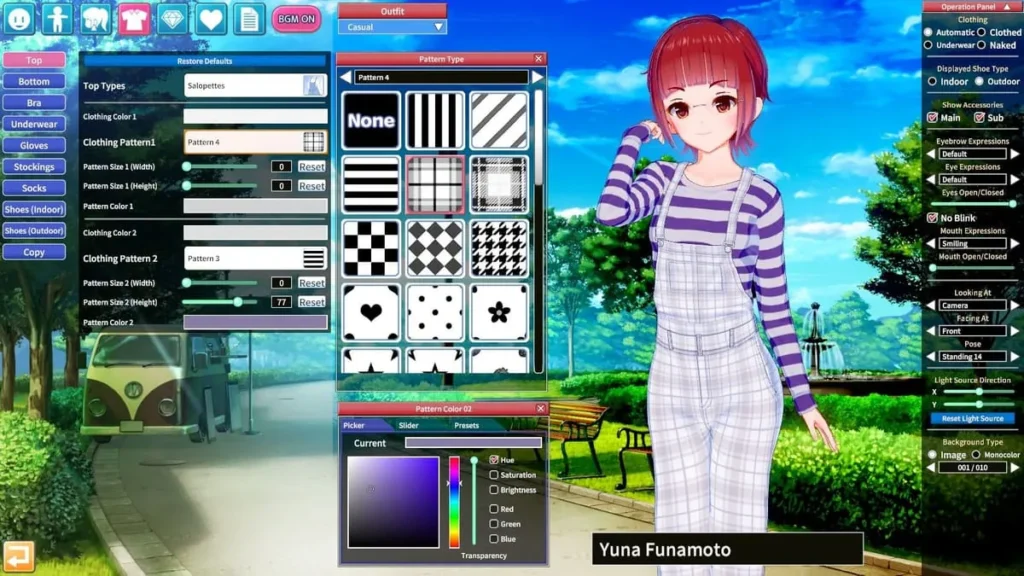
- Dress for Success: Clothing is more than just aesthetics. In gameplay, different outfits affect interactions. Start with the main outfit, then explore the separate categories for underwear, socks, shoes, and accessories. You can mix and match tops and bottoms from different sets for unique combos.
- Personality & Voice: This crucial step is often overlooked. In the “Personality” tab, you assign a character type (Genki, Cool, Sexy, etc.), which dictates their in-game dialogue and behavior. Then, choose a voice from a surprisingly large selection. Hearing your creation speak for the first time is a magical moment! 🎤
- Save Your Card!: This is the most important step. Your character is saved as a “character card” (a .png file with embedded data). Give it a unique name and save it to your library. This character card creation guide golden rule: save early, save often, and make backups of your favorites.
The process of how to create characters Koikatsu is iterative and playful. Don’t be afraid to go back and tweak. Sometimes, after choosing the perfect outfit, you might realize the eye color needs to change. That’s the joy of it!
Advanced Customization Options & Appearance Settings
Once you’ve mastered the basics, you’ll discover that Koikatsu Party character creation has layers of depth that can keep you occupied for weeks. 🧐 This is where the transition from “making a character” to “designing a persona” happens. The sheer volume of Koikatsu character customization options is the game’s superpower.
To break it down, let’s look at the primary categories at your disposal:
| Category | What You Can Modify | Pro Tip 💡 |
|---|---|---|
| Body | Full body proportions, muscle definition, skin tone (with full-body texture overlays), nail color, tan lines, and even subtle details like blush zones and body hair. | Use the “Body Paint” section to add unique markings, tattoos, or freckles for truly one-of-a-kind designs. |
| Face | Over 60 individual sliders for every facial feature, eye textures/iris designs, eyelash styles, eyebrow shape, and multiple makeup layers (eyeshadow, lipstick, blush). | Adjust the “Face Detail” sliders (like Canthus or Cheekbone) for fine-tuning that moves beyond simple size changes. |
| Hair | Front, side, back, and extra (ahoge/antenna) parts can be combined. Each part has independent color, gloss, and highlight controls. | Try using two different “Back” hair styles together to create incredibly complex and voluminous hairstyles. |
| Clothing | Every garment is fully customizable in color and pattern. Most have “states” (like unbuttoned) and you can adjust physics settings for skirts and tops. | Master the “Coordinate” system to save full outfits, making it easy to give one character a casual, swim, and formal look. |
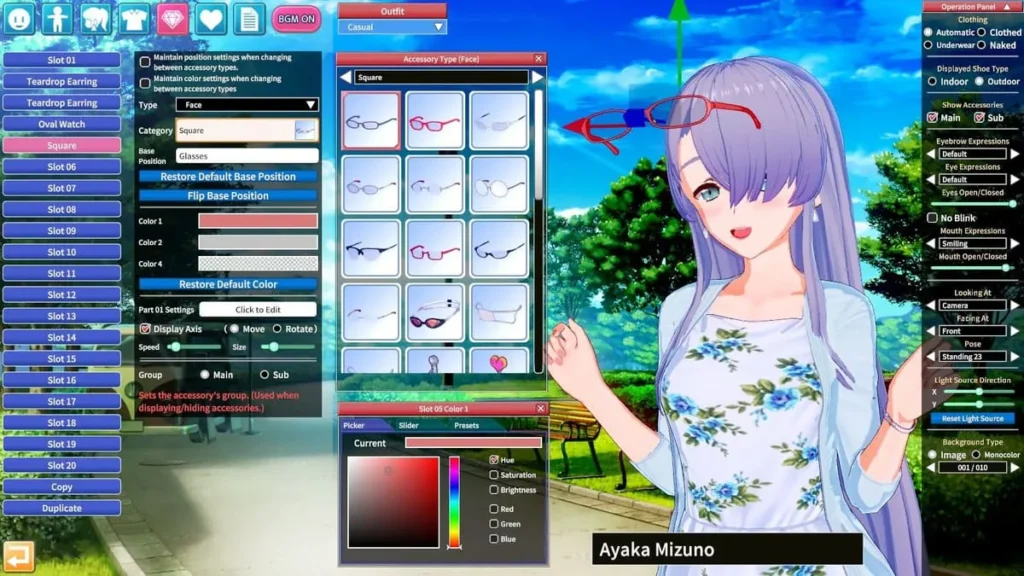
| Accessories | From glasses and earrings to wings, tails, and handheld items. Each accessory can be resized, rotated, and precisely positioned on the body. | Use accessories to break symmetry. A single earring, an off-center hairpin, or a scarf can add immense personality. |
But wait, there’s more! The “Appearance” settings let you define how your character behaves and exists in the world. You can set their “H” preferences, their relationship to the player character, and their hidden traits. This makes your custom character design anime simulation feel alive, as the personas you craft will interact with the world based on these core settings.
My “aha!” moment came when I discovered the power of overlays. By downloading custom skin and eye textures from the community (always a vibrant part of the Koikatsu ecosystem), I was able to create a character with heterochromia and delicate scale patterns on her skin, turning her from a simple student into a mythical being. The tools are there; your imagination is the only limit.
And then, there’s Studio Mode. While not strictly part of “creation,” it’s the natural next step for showcasing your work. Koikatsu studio mode character poses allow you to place any character card into elaborate scenes. You can manipulate every joint with IK (Inverse Kinematics) controls, adjust facial expressions on the fly, set up lighting, and create dynamic camera angles. It’s the perfect tool for bringing a story to life or simply creating an iconic screenshot of your masterpiece. Think of the Character Maker as the workshop, and CharaStudio as the photo studio and director’s chair rolled into one. 🎬
Adding Characters to Your School & Managing Your Cast
You’ve built a stunning cast of characters—now what? It’s time to populate your world! 🌍 The process of how to create characters Koikatsu is only half the fun; the other half is letting them live, breathe, and interact in the school environment.
Adding characters to your school is refreshingly straightforward. In the main game’s “School” mode, access the student roster. Here, you can “register” any character card from your library. In the Party version, you can have up to 100 custom characters milling about your campus (the original vanilla game allows for 38). Imagine the possibilities! You can create rival clubs, friend groups, teachers, and more, building a completely original narrative landscape.
Managing this growing collection is its own satisfying meta-game. Here’s my advice for staying organized:
- Folder System is Your Friend: Your character card folder can be organized into subfolders. Create systems like “Main Story Characters,” “Club Members,” “NPCs,” or “Fantasy Designs.” Trust me, when you have 80+ cards, you’ll thank yourself.
- Diversity is Key: It’s easy to fall into a “type.” Challenge yourself! Use the anime character creator sliders to make characters of different apparent ages, ethnicities (using the wide range of skin tones and facial features), and body types. Create shy boys, tomboyish girls, elegant older teachers, or even quirky comic-relief characters. A diverse cast makes the school feel real and your stories more engaging.
- Personality Drives Drama: Remember, each character’s assigned personality affects every interaction. A “Tsundere” will clash beautifully with a “Friendly” type. A “Lazy” student might be found napping in the library by a “Serious” club president. When adding characters to your school, think about the dynamics you want to create. This is where custom character design anime simulation truly shines—you’re not just drawing pictures, you’re casting roles for your personal anime.
- The Card is Universal: The brilliance of the character card creation guide process is that a single card works everywhere. A character you design can be a love interest in Story Mode, a model in Studio Mode for creating scenes, and part of the background crowd in Free H mode. One creation, endless utility.
The true appeal of Koikatsu Party character creation is this beautiful loop: you get inspired, you spend a joyful hour in the creator, you breathe life into them with personality and voice, and then you set them loose in your world to see what stories emerge. It’s a profoundly creative and rewarding cycle that keeps the experience fresh long after you’ve explored the main storylines. So go forth, experiment wildly, save those cards, and build the anime school of your dreams—one incredibly detailed, slider-tweaked character at a time. ✨
Koikatsu Party stands out as a comprehensive simulation experience that combines extensive character customization with engaging gameplay mechanics. The game’s appeal lies in its accessible character creation system, allowing players to design unique characters without requiring advanced 3D modeling skills. The dating simulation mechanics provide meaningful progression through relationship building, club activities, and unlocking new content as you advance. With multiple gameplay modes including school exploration, interactive scenes, and creative studio tools, there’s substantial depth for players seeking both casual enjoyment and creative expression. Whether you’re interested in the character creation aspect, the relationship progression system, or the various interactive features, Koikatsu Party offers a rich experience that rewards exploration and experimentation. Start by creating your first character, explore the school environment, and gradually unlock new features as you progress through the game’s various systems.